Tired of listening to that Samsung Galaxy S4 user who brags about air control features.
Well BE A NINJA!!! Air Gesture Control is your answer to them ! ! !
Now With Gallery and Call Features with PRO version
WINNER at INTEL CodeFest 2013
Air Control allows you to control following features:
1. Music
- Control your music player using Air Gesture Control
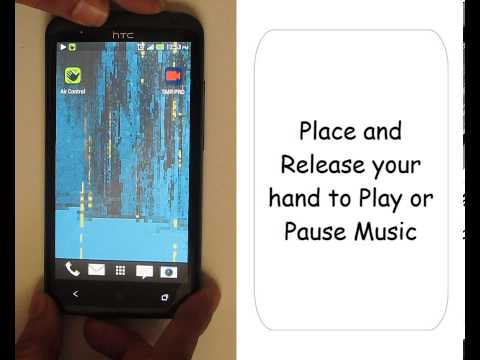
- Place and remove your hand (Hover) to play music
- Place and remove your hand (Hover) again to pause music
- Wave once to play Next song
- Wave twice to play Previous song
2. Unlock Screen
- Control your phone screen UnLock using Air Control
- Place and remove your hand to UnLock your screen
3. Record Audio
- Record audio data using Air Gesture Control
- Place and remove your hand to start recording Audio
- Place and remove your hand again to Stop recording Audio
- Your recorded file would inside /sdcard/AirGestureControl/DateTime.mp3
4. Push Ups
- Select PushUp check box using Air Gesture Control
- Place your phone below your chest and start doing PushUps
- When done with workout, remove PushUp check box
5. Flash Light (Torch)
- Control your phone Flash Light using Air Control
- Place and remove your hand to switch on Flash light(Torch)
- Place and remove your hand again to switch off Flash light(Torch)
6. Ringer Volume (Silent mode)
- Control your phone volume using Air Control
- Place and remove your hand to Silent phone
- Place and remove your hand again to Ringer mode your phone
7. WiFi
- Control your phone WiFi using Air Control
- Place and remove your hand to switch on WiFi
- Place and remove your hand again to switch off WiFi
8. Data Connection
- Control your phone data connection using Air Control
- Place and remove your hand to switch on Data Connection
- Place and remove your hand again to switch off Data Connection
9. GPS
- Control your phone GPS using Air Control
- Place and remove your hand to switch on GPS
- Place and remove your hand again to switch off GPS
10. Bluetooth
- Control your phone bluetooth using Air Control
- Place and remove your hand to switch on Bluetooth
- Place and remove your hand again to switch off Bluetooth
Get all of these awesome features on your phone now.
How It Works:
Air Gesture Control is a PROXIMITY sensor based application.
Every phone has this sensor to switch off screen when talking over phone
Proximity Controls:
1. Hovering - Place your hand over Proximity sensor and remove your hand.
2. Wave Once - Wave within the range of Proximity sensor quickly once
3. Wave Twice - Wave within the range of Proximity sensor quickly one after other, two times
Great for:
Driving - Focus only on driving, safety first
Press Conference- Wave and record while others are searching for a way to record
PushUps - Use Air Gesture Control to keep track of your push ups
At your desk - No need to look at your phone, change to next song by waving
Cooking - Hands covered with oil, well just wave at your phone for next song
Cleaning - Don't worry about getting dirt on your phone
Eating - No more food stain on your phone screen
Working Out- Don't fall off the treadmill while changing to next song
Show off - Well be a Ninja, Jedi or Shaolin monk, take your pick
**IMPORTANT**
Air Gesture Control is tested on HTC, Samsung, Sony, LG, Micromax, Karbonn, Lenovo and Lava phones
If there is a problem, please email me at intankcorp@gmail.com and give me a chance to figure it out before leaving a bad review!
Known Issues:
If your phone/Tablet does not have PROXIMITY sensor, Air Gesture Control will not work on your device. :(
Permissions Needed:
Bluetooth: To switch on Bluetooth
Camera: To switch on Flash Light (Torch)
Microphone: To record Audio data
Storage: To store recorded Audio data
Network communication: To switch on WiFi
Tags:
Air Control, Wave Control, Proximity Control, Proximity Sensor
Developed on HTC ONE X